

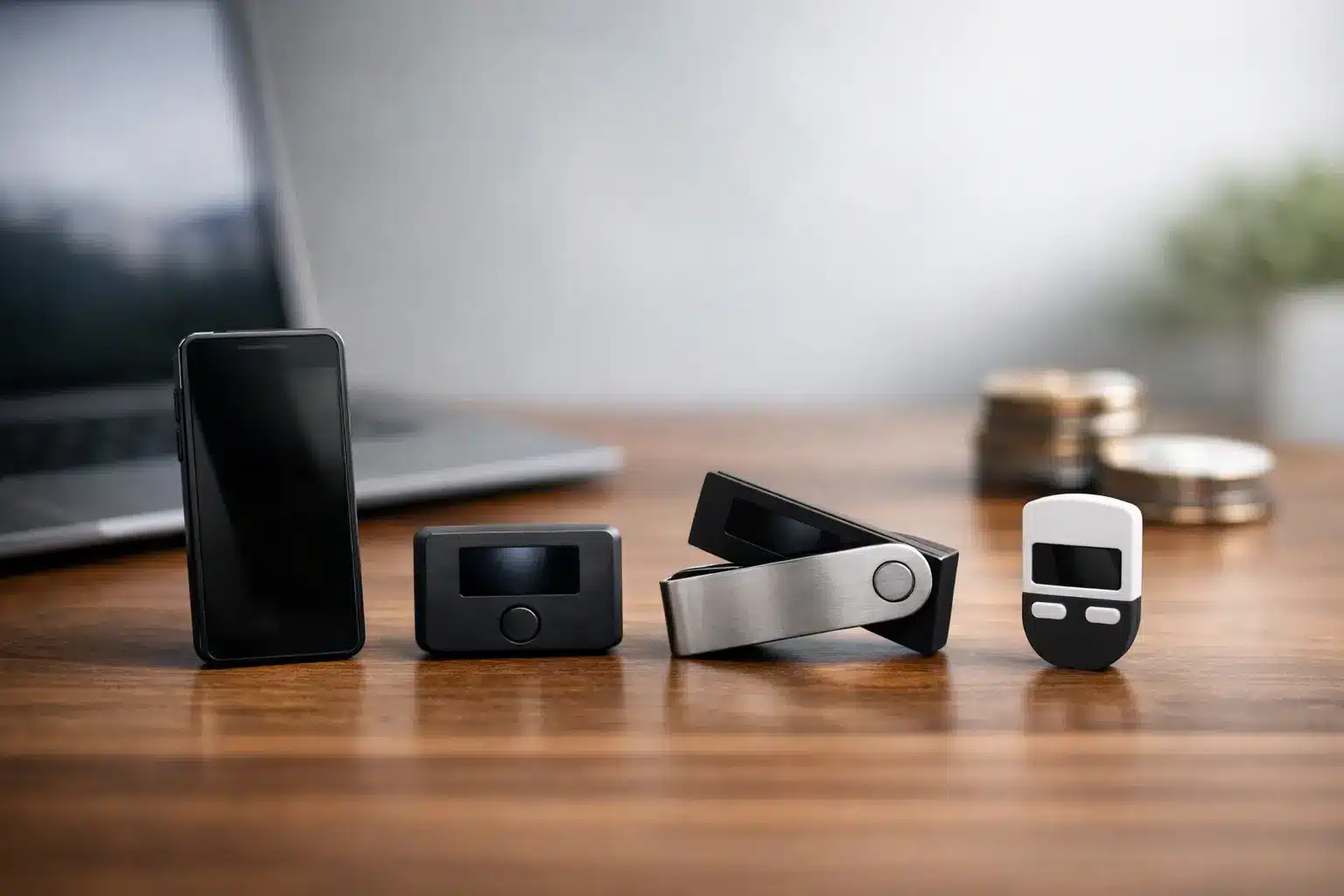
A hardware wallet should make you feel calmer, not as though you have bought a tiny computer that needs an engineering degree to operate. For people holding Bitcoin or other crypto for the longer term, the best hardware wallets for simplicity are usually the ones with clear screens, sensible instructions and fewer opportunities to press the wrong button.
The purpose is straightforward. A hardware wallet keeps the private keys that control your crypto offline. This can offer far stronger protection than leaving everything on an exchange, where your account depends on a password, an app and the security practices of another company.
But simple does not mean careless. Every hardware wallet asks you to take responsibility for your recovery phrase: the list of words that can restore access if the device is lost, broken or replaced. Choosing a wallet you can use confidently is only one part of storing crypto safely.
What simplicity should mean in a hardware wallet
For a beginner, simplicity is not about having the fewest features. It is about being able to understand what is happening at each step. You should be able to see the address you are sending to, confirm the amount, and know how to recover your wallet without relying on guesswork.
A good simple wallet tends to have a clear display, physical buttons or an uncluttered touchscreen, and an app that explains actions in ordinary language. It should also support the coins you actually hold. If you are buying Bitcoin only, a focused Bitcoin wallet may be easier to live with than a device designed for hundreds of tokens and complex trading features.
Before choosing any device, it helps to understand the difference between a wallet and an exchange account. A wallet does not hold coins in the way a leather wallet holds notes. It holds the private keys that prove you control assets recorded on the blockchain. That distinction is a useful foundation for safer decisions.
The best hardware wallets for simplicity
There is no single best choice for every person. Some people want a familiar computer screen and buttons. Others prefer a larger touchscreen. The following options are widely recognised and suit different kinds of beginner, but always buy directly from the manufacturer or an authorised retailer, never from a marketplace seller or a second-hand listing.
Trezor Safe 3: a clear first choice for many beginners
The Trezor Safe 3 is a sensible option for someone who values a straightforward setup and clear confirmations on the device itself. It uses physical buttons rather than a touchscreen, which some people find reassuring: there is less to swipe through and fewer gestures to learn.
Trezor’s accompanying software is generally easy to follow, and the wallet supports Bitcoin alongside a broad range of other assets. That makes it suitable if you expect to hold more than one established cryptocurrency over time.
The trade-off is that it does not feel quite as polished or phone-like as a touchscreen model. Yet for many first-time owners, buttons are a benefit rather than a drawback. They make each confirmation deliberate.
BitBox02 Bitcoin-only edition: less choice, less confusion
If Bitcoin is your sole focus, the BitBox02 Bitcoin-only edition deserves serious consideration. By supporting Bitcoin alone, it removes the distraction of thousands of other coins, token swaps and features that many long-term holders will never use.
Its compact design and simple companion app are appealing for people who want to buy Bitcoin, transfer it to secure storage and leave it alone. The device has touch sensors on its sides rather than traditional buttons, which may take a little getting used to, but the overall experience is deliberately uncluttered.
The limitation is also its strength. It is not the right choice if you later decide you want to store Ethereum or other assets on the same device. For a person building a Bitcoin-focused long-term holding, however, its narrow purpose can bring welcome peace of mind.
Ledger Flex: a larger screen for easier checking
Ledger Flex is built around a larger touchscreen, which can make transaction details easier to read than on a small button-operated device. That matters. Crypto transactions cannot normally be reversed, so taking time to read the address and amount on the wallet screen is a valuable habit.
It supports a wide range of cryptocurrencies and connects with Ledger’s app, giving it flexibility for someone who holds several assets. For users who are comfortable with a smartphone-style screen, it may feel more familiar than smaller devices.
However, more capability can also mean more menus and decisions. If your aim is simply to hold Bitcoin for years, you may not need all that breadth. Ledger Flex is best for someone who values readability and expects to use a range of supported assets, rather than someone seeking the most stripped-back experience possible.
Tangem: simple for mobile-first users, with a different approach
Tangem uses card-shaped wallets that work with a smartphone app. There is no screen on the card itself, and this makes the physical experience very simple: tap the card to your phone and follow the prompts in the app.
That can be attractive if you dislike cables, buttons and small device screens. The cards are easy to keep physically secure, and the setup can feel less intimidating than a conventional hardware wallet.
There is an important compromise. Because you confirm details in the phone app rather than on a separate wallet screen, you are placing more trust in the phone display. Some security-conscious holders prefer a dedicated screen that independently shows exactly what they are approving. Tangem may suit a person who prioritises convenience, but take time to understand its backup options before committing.
Blockstream Jade: a practical Bitcoin-focused option
Blockstream Jade is another wallet designed primarily for Bitcoin users. It is often appreciated for its straightforward screen, buttons and Bitcoin-centred approach. Its setup has more options than the simplest devices, including ways to work without a permanent cable connection, so it can appeal to people who want greater control as their confidence grows.
For a complete beginner, those extra choices may feel like more than is needed at first. Still, if you are committed to Bitcoin and willing to follow a calm, step-by-step process, Jade can be a strong long-term choice.
How to choose without becoming overwhelmed
Start with your real situation, not a long list of product specifications. If you hold only Bitcoin and plan to keep it for five or ten years, a Bitcoin-only device can be easier. If you own Bitcoin, Ethereum and a few other established assets, choose a wallet that supports them all without requiring workarounds.
Then consider how you prefer to use technology. A physical-button wallet suits people who like clear, deliberate actions. A touchscreen may be easier if small text or buttons are difficult for you. A card-based wallet can feel familiar to mobile users, but make sure you understand where transaction details are verified.
Price matters, but it should not be the deciding factor. A cheaper wallet that you never feel confident using is poor value. Equally, a more expensive model with features you do not need will not necessarily make your crypto safer.
The safety habits that matter more than the brand
Whichever device you choose, your recovery phrase is the most sensitive item in the process. Write it down carefully on paper or a purpose-made metal backup. Keep it private and secure. Never photograph it, store it in cloud storage, send it by email or type it into a website.
No genuine support worker, wallet company, exchange or tax authority needs your recovery phrase. Anyone asking for it is attempting to steal your crypto. This remains one of the most common and damaging scams.
When you first send funds to a new wallet, begin with a small test transaction. Check that it arrives, then send the remainder only when you feel certain. It may seem cautious, but caution is exactly what protects long-term holdings.
Also, buy your wallet new from the maker or a trusted authorised source. Set it up yourself. If a device arrives with a recovery phrase already printed out, or asks you to use words supplied in the box, stop immediately. A secure wallet creates a new recovery phrase during your own setup.
Give yourself permission to go slowly
A hardware wallet is not something to rush through between lunch and an appointment. Set aside quiet time, avoid distractions, and read each screen before confirming it. If possible, ask a trusted family member to be nearby for reassurance, but do not show them your recovery phrase.
The right choice is the wallet whose process you can understand and repeat. For many beginners, that will mean the Trezor Safe 3 or a Bitcoin-only BitBox02. For others, a larger-screen Ledger Flex or mobile-friendly Tangem will feel more natural. The best device is not the one with the longest feature list. It is the one that helps you take careful control of your own crypto.
If you would like a gentler introduction before setting anything up, Simply Learn Crypto’s Free First Lesson can help you build the basics in plain English, one step at a time.
This article is shared for entertainment and educational purposes only. It is not financial advice. Crypto investments involve risk, and past performance is not a guide to future results. Always do your own research or speak to a qualified financial advisor before making any investment decisions.
